VOLO Router
A cellular router is a convenient way to provide a dual-path internet connection for your VOLO system. Because VOLO uses so little data, we offer a pre-configured, lightweight router that is straightforward to set up.
tip
Most cellular routers will work with VOLO. If you choose to use an alternative router, you will need to configure it and source a SIM card.
This would be a good solution if you wish to use the router to provide internet access to other devices on your network.
Router Details
| Characteristic | Value |
|---|---|
| Input Voltage | 9 - 30 VDC |
| Power Consumption | 6.5 W (Max) |
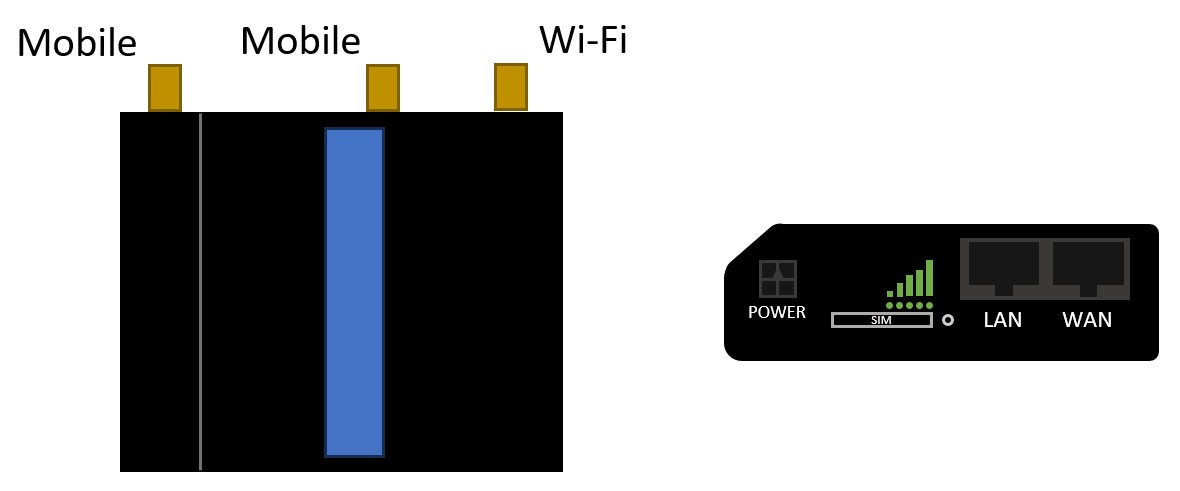
Wiring Diagrams
tip
The following diagrams are for the default scenario of connecting one VOLO master controller directly to the router.
The router is capable of more complex configurations. Please review the following articles for some examples:
Power Connections
The router will be shipped with a power cable, with a moulded connector at one end, to plug into the router, and a terminal block at the other end.
The Red and Black wires are used to power the router. The Green and White wires should not be connected.

caution
The router input voltage range is 9 - 30 VDC. This means that the Power Supply included with the VOLO controller is suitable for powering the router.
Please ensure that the power supply is suitable for the total load you have connected to it. You may need an additional power supply.
Network Cables
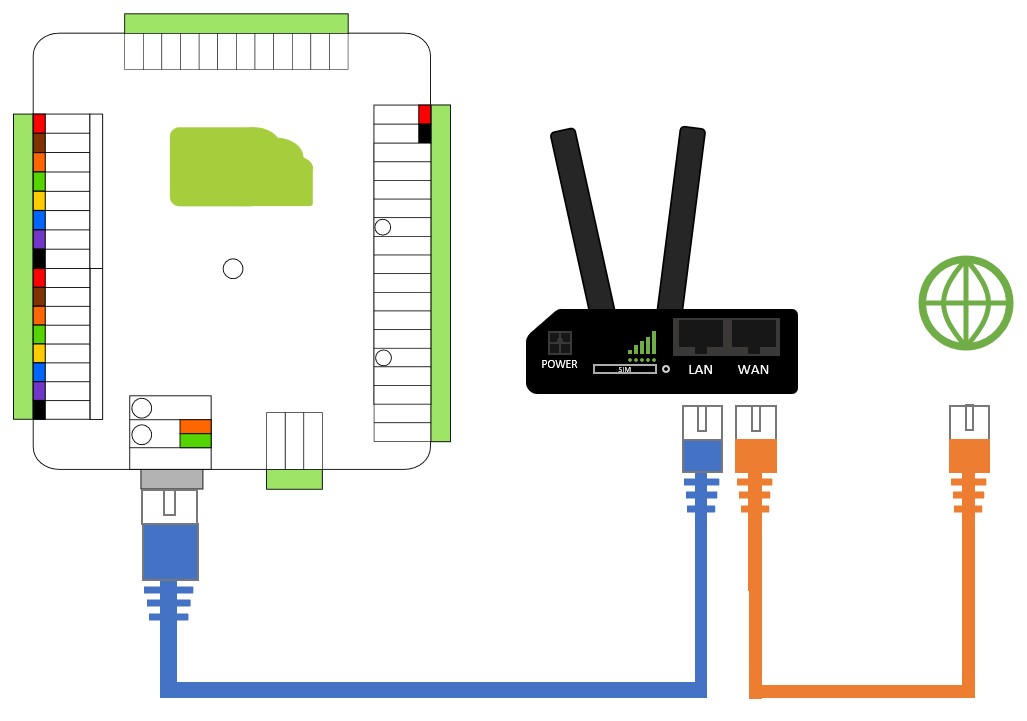
In the simplest scenario, you should connect the Ethernet port on the VOLO master controller to the LAN port on the router.
If you are only using the cellular connection, you don't need anything further.
If you are using a wired internet connection as the primary communication method, you will need to connect the WAN port of the router to the local network. The router will use this to provide internet access by default and will then failover to the cellular connection if the wired connection is unavailable.